Everything You Need to Know About Sanwa Arcade Buttons
Read our helpful tips and advice before buying Sanwa arcade buttons.
ARCADE MACHINE COMPONENTS
Introduction
Arcade gaming is all about the immersive experience and fast-paced action, and nothing affects that more than the arcade buttons. Sanwa arcade buttons have been a favourite among arcade gaming enthusiasts for decades.
What are Sanwa arcade buttons?
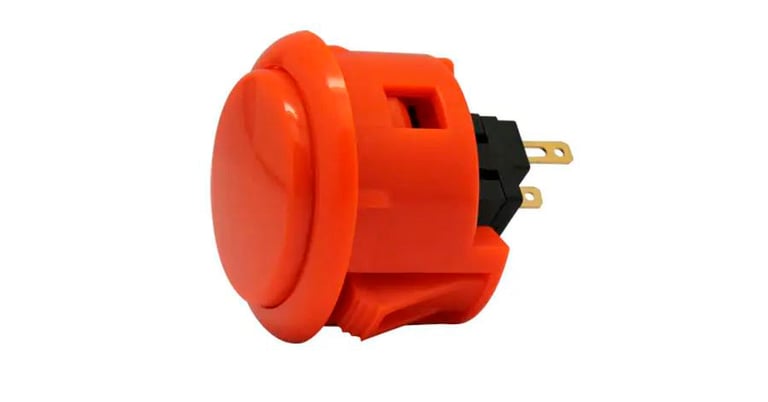
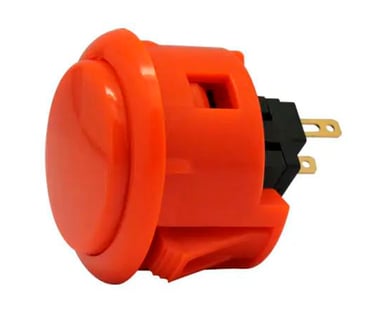
The Sanwa buttons are high-quality arcade buttons designed for the best gaming experience possible. The buttons are constructed with a microswitch that responds quickly and accurately to every press, ensuring a fast and seamless gaming experience. Sanwa buttons are also highly durable and can withstand the wear and tear of intensive gameplay.
The Benefits of Sanwa Arcade Buttons
Sanwa Arcade Buttons offer several benefits that make them a favourite among arcade gaming enthusiasts. Firstly, they provide accurate and responsive gameplay, ensuring that every button press is recognised immediately. They are also highly durable than many other standard buttons, lasting for years without any need for replacement. The buttons also provide a satisfying "click" sound and feel that enhances the overall gaming experience.
Types of Sanwa Buttons
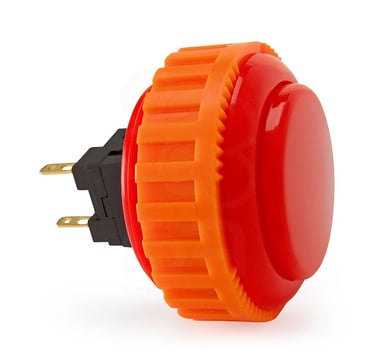
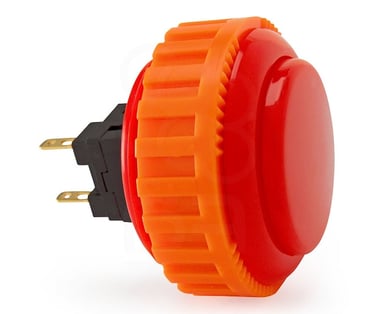
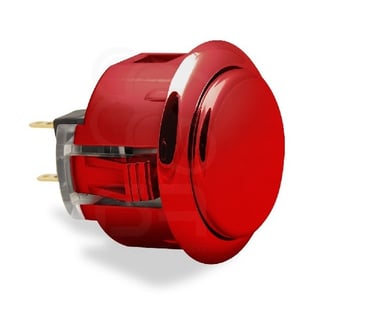
Sanwa arcade buttons come in a number of types, with acronyms such as OBSF, OBSN, OBSJ, and more! Each designed for a specific purpose. The OBSF series is the most popular and comes in a variety of colours, the Sanwa OBSF-30 for example is a 30mm snap-in style arcade button and popular with fighting games. The OBSN series is similar to OBSF but features a fixing ring that screws into place when mounted on a control panel or fight stick. The OBSJ series are metallic coloured Sanwa buttons which mount in a 30mm mounting hole onto metal control panels. The Sanwa OBSM-30 is a 30mm button cap or also known as a button blank.
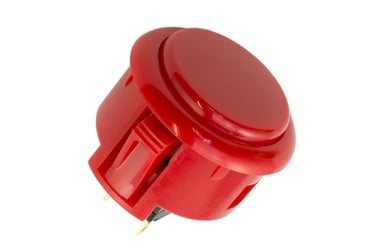
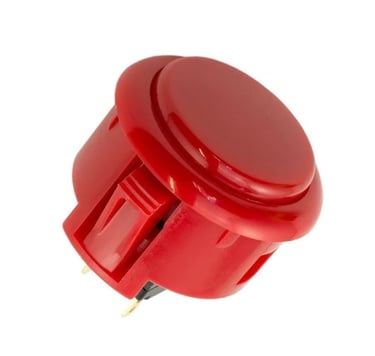
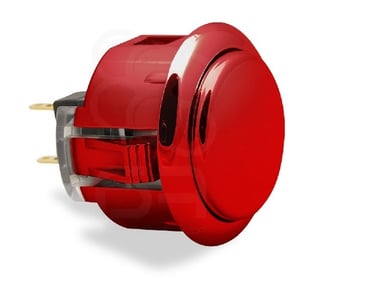
SANWA OSBF 30
SANWA OSBN 30
SANWA OSBJ 30
Where to Buy
Sanwa Arcade Buttons can easily be found online. However, it's important to make sure that you are buying genuine Sanwa arcade buttons, as there are many imitations on the market. Be sure to check customer reviews and ratings before making a purchase. You can also check out specialty stores that cater to arcade gaming enthusiasts, as they are likely to have a selection of the genuine Sanwa buttons. In our plug and play fully built arcade machines, we only use genuine Sanwa buttons - when chosen as an option.
Frequently Asked Questions
Q: How long do Sanwa arcade buttons last?
A: They are highly durable and can last for several years without any need for replacement.
Q: Are these buttons easy to install?
A: Installing Sanwa buttons requires some technical wiring knowledge, but it's a relatively straightforward process and there are many videos online to show you how.
Q: Can I use Sanwa arcade buttons on any arcade machine?
A: Yes, they are compatible with most arcade machines and controllers. Easily installed in a JAMMA arcade machine as well.
Conclusion
Sanwa arcade buttons are an excellent choice for arcade gaming enthusiasts looking for a high-quality and immersive gaming experience. With their durable construction, responsive gameplay, and satisfying feel, they are a favourite among gamers worldwide. Whether you're looking to upgrade your existing arcade machine or build a custom arcade controller, Sanwa genuine buttons are a must-have accessory.
All our arcade machine cabinet kits are compatible with the Sanwa buttons.
© 2025 Knockout Arcades All Rights Reserved
Dust Shack Ltd T/A Knockout Arcades